www.tonychia.com
Remember:
-
Keep detailed notes during each lab to make documenting easier.
- Include screenshots or configuration files to support your
documentation.
- Reflect on what you learned in each lab and any challenges you
faced.
Check and Document Your Results
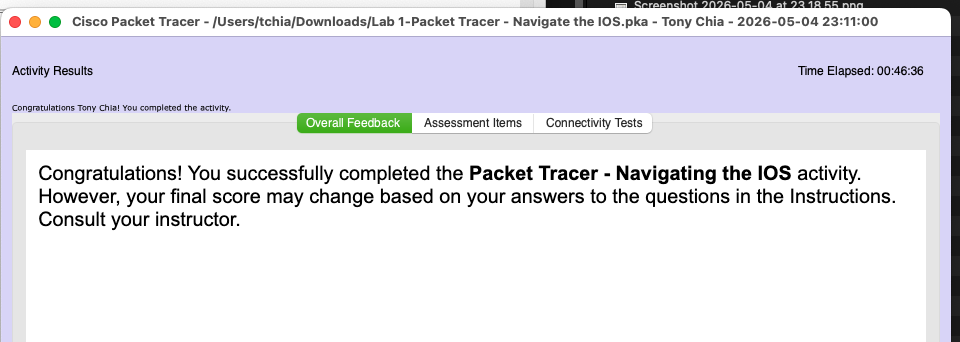
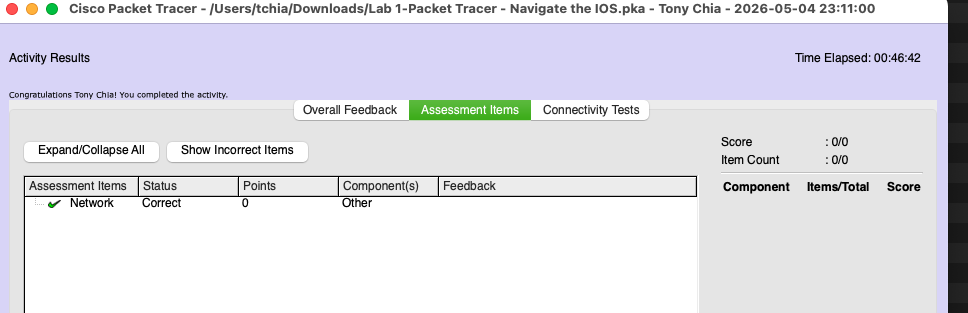
After completing the lab, use the “Check Results” feature as shown in
the video.
Take at least two screenshots:
-
One of the assessments
-
One of the assessment items
Paste these into your Word document along with any required answers.
Part 1 Establish Basic Connections, Access the CLI, and Explore Help
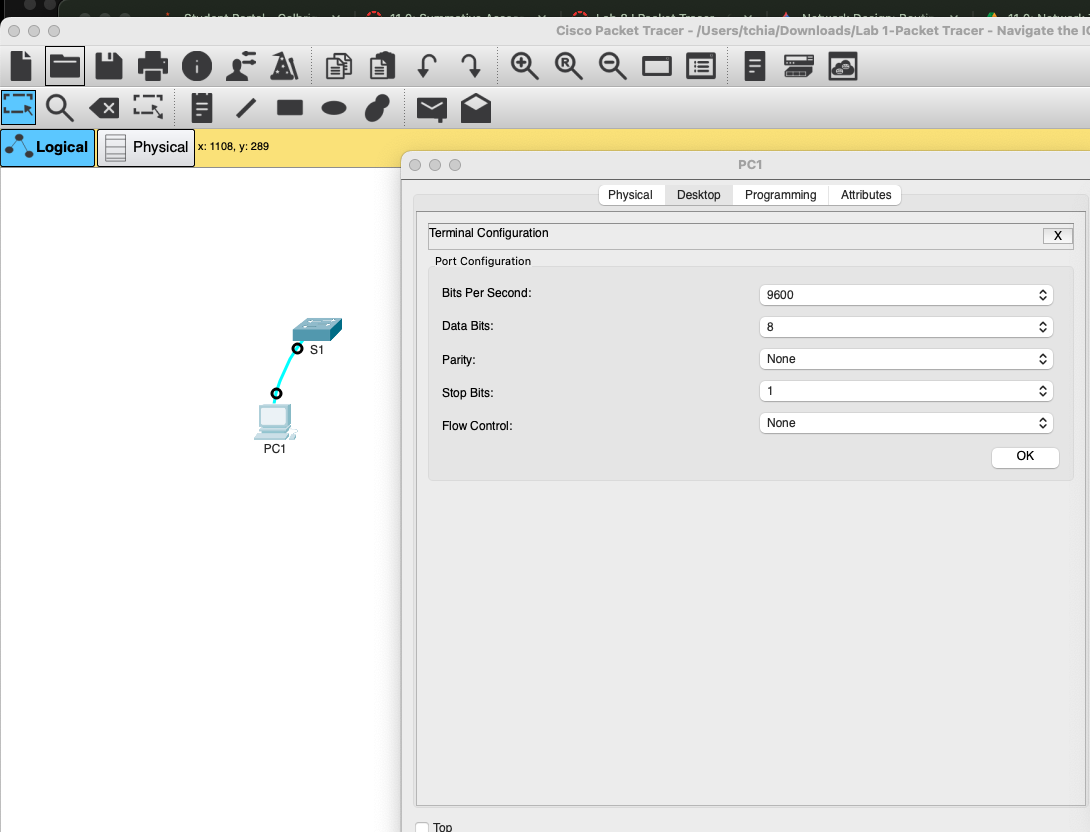
Q: What is the setting for bits per second?
9600
 {width=”6.5in”
height=”2.9101017060367456in”}
{width=”6.5in”
height=”2.9101017060367456in”}
Q: What is the prompt displayed on the screen?
S1>
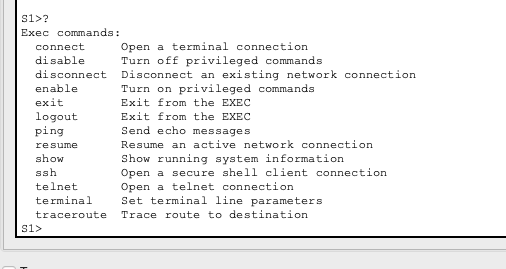
Q: Which command begins with the letter ‘C’?
connect
 {width=”5.270833333333333in”
height=”2.8020833333333335in”}
{width=”5.270833333333333in”
height=”2.8020833333333335in”}
Q: b. At the prompt, type t and then a question mark (?).
S1> t?
\% Ambiguous command: "t"
Q: At the prompt, type te and then a question mark (?).
S1> te?
Question:
Which commands are displayed?
S1>te?
telnet terminal
Part 2 Explore EXEC Modes
Q: What information is displayed for the enable command?
Turn on privileged commands
Q: What displays after pressing the Tab key?
enable
Q: What would happen if you typed te<Tab> at the prompt?
Nothing happens since there are more than one possible command for the command completion to choose from
Q: How does the prompt change?
It changed to S1#
Q: How many commands are displayed now that privileged EXEC mode is active?
Five
S1#c?
clear clock configure connect copy
Q: What is the message that is displayed?
Configuring from terminal, memory, or network [terminal]?
Q: How does the prompt change?
Configuring from terminal, memory, or network [terminal]?
Enter configuration commands, one per line. End with CNTL/Z.
S1(config)#
Part 3 Set the Clock
Step 1: Use the clock command.
a. Use the clock command to further explore Help and command syntax. Type show clock at the privileged EXEC prompt.
S1# show clock
Question:
What information is displayed? What is the year that is displayed?
*21:27:36.161 UTC Sun Feb 28 1993
b. Use the context-sensitive help and the clock command to set the time on the switch to the current time. Enter the command clock and press ENTER.
S1# clock<ENTER>
Question
What information is displayed?
set Set the time and date
c. The “% Incomplete command” message is returned by the IOS. This indicates that the clock command needs more parameters. Any time more information is needed, help can be provided by typing a space after the command and the question mark (?).
S1# clock ?
Question:
What information is displayed?
set Set the time and date
d. Set the clock using the clock set command. Proceed through the command one step at a time.
S1# clock set ?
Questions:
What information is being requested? Current time
What would have been displayed if only the clock set command had been entered, and no request for help was made by using the question mark? Incomplete command.
e. Based on the information requested by issuing the clock set ? command, enter a time of 3:00 p.m. by using the 24-hour format of 15:00:00. Check to see if more parameters are needed.
S1# clock set 15:00:00 ?
The output returns a request for more information:
<1-31> Day of the month
MONTH Month of the year
f. Attempt to set the date to 01/31/2035 using the format requested. It may be necessary to request additional help using context-sensitive help to complete the process. When finished, issue the show clock command to display the clock setting. The resulting command output should display as:
S1# show clock
*15:0:4.869 UTC Tue Jan 31 2035
g. If you were not successful, try the following command to obtain the output above:
S1# clock set 15:00:00 31 Jan 2035
Step 2: Explore additional command messages.
a. The IOS provides various outputs for incorrect or incomplete commands. Continue to use the clock command to explore additional messages that may be encountered as you learn to use the IOS.
b. Issue the following commands and record the messages:
S1# cl<tab>
Questions:
What information was returned?
The tab completion didn’t work.
S1# clock
Question:
What information was returned?
\% Incomplete command.
S1# clock set 25:00:00
Question:
What information was returned? % Invalid input detected at '\^' marker.
S1# clock set 15:00:00 32
Question:
What information was returned?
\^
\% Invalid input detected at '\^' marker.
Reflection:
When i typed some incorrect command such as “clclock” , the terminal get stuck with “Translating "clclock"...domain server (255.255.255.255)”.
I tried to close the terminal and start a new one but it didn’t seem to work.
I tried to press control+C or control+d and it didn’t seems to work either
After some time it seems to time out and return to the # prompt
 {width=”6.5in”
height=”2.3194444444444446in”}
{width=”6.5in”
height=”2.3194444444444446in”}
 {width=”6.5in”
height=”2.0972222222222223in”}
{width=”6.5in”
height=”2.0972222222222223in”}